A winery website has two very different visitors. One is planning a day out: they want to know if you're open on Saturday, whether they need to book a tasting, and how to find you. The other has already been, loved a bottle, and wants to buy more. A good winery website looks after both, quickly, on a phone.
Here's what that looks like, whether your cellar door is in the Hunter Valley, Orange or the Southern Highlands.
Opening hours people can trust
Hours are the first thing most visitors look for, and the thing most often out of date.
- On the home page, not hidden on a contact page.
- Including the exceptions. Public holidays, long weekends, harvest, private events and winter closures.
- The same everywhere. Your website, Google Business Profile and Facebook page should all say the same thing. If they don't, people believe the one that's wrong.
If your hours change with the seasons, it's worth having a simple way to update them yourself, or someone who'll do it for you the same day.
Tasting bookings
Many cellar doors now ask visitors to book, especially for groups and weekends. Make it obvious:
- Say whether bookings are needed, or just recommended, and for which days and group sizes.
- Explain what a tasting includes: how many wines, how long it takes, the price, and whether it's waived when you buy.
- Let people book online. A clear booking button that shows available times saves you phone calls and saves visitors guessing. We can add online bookings to your site for $350 (No GST charged), or link to a booking system you already use.
- Group and tour bookings often need a different process. Give them a short enquiry form of their own.
Events
Long lunches, live music, release days, harvest festivals and winemaker dinners bring people back. An events page with dates, prices and a way to buy tickets or reply turns a mention on Facebook into actual bookings.
Keep past events off the main list, or move them to a separate page with photos. Nothing says "nobody's home" like last year's Christmas lunch still at the top. Our events add-on, which lets you list events with dates and take tickets or replies, is $300 (No GST charged).
The wine list, and buying online
Visitors often remember the wine but not its name. Make your range easy to browse:
- Every wine on its own, with the variety, vintage, a short tasting note in plain words and the price.
- A good photo of each bottle, shown whole, against a plain background.
- Sold out or new release? Mark it clearly, rather than deleting it.
Selling online lets people order a case after they get home. Our online shop add-on covers up to 20 products, with online payments, for $600 (No GST charged), plus $100 for every extra 10 products. Be clear about delivery: where you ship, what it costs, and how long it takes. Shipping costs shown up front, not as a surprise at checkout, mean more finished orders.
Your licence and the age notice
Selling alcohol online comes with rules. In NSW, a business selling liquor online is generally expected to show its liquor licence number and a notice that alcohol can't be sold or supplied to anyone under 18. Many wineries also ask visitors to confirm their age before they shop.
The exact wording and what your licence requires can vary, so check with Liquor & Gaming NSW and get it right once. We'll build it into your site so it appears where it needs to, without getting in the way of people who are simply checking your hours.
Wine club sign-ups
A wine club turns a good day out into a lasting relationship. If you have one, give it its own page that explains, plainly:
- What members get, and how often.
- What it costs, and how and when they're charged.
- How to pause or leave.
Then add a simple sign-up form. Even if you don't have a club, an email sign-up for new releases and events keeps your visitors close, and it's yours, not a social media platform's.
Visitor information and directions
Wine country roads and patchy phone signal are a common mix. Help people arrive happy:
- Your address and a map, with a link that opens straight into Google Maps on a phone.
- Directions in words, for the turn-off GPS always misses.
- Parking, including space for minibuses and tour coaches if you welcome them.
- Food: whether you serve it, whether you need to book, and whether picnics are welcome.
- Accessibility: step-free access, accessible toilets, and where to park.
- Children and dogs: welcome or not, and where.
Photos that show the place
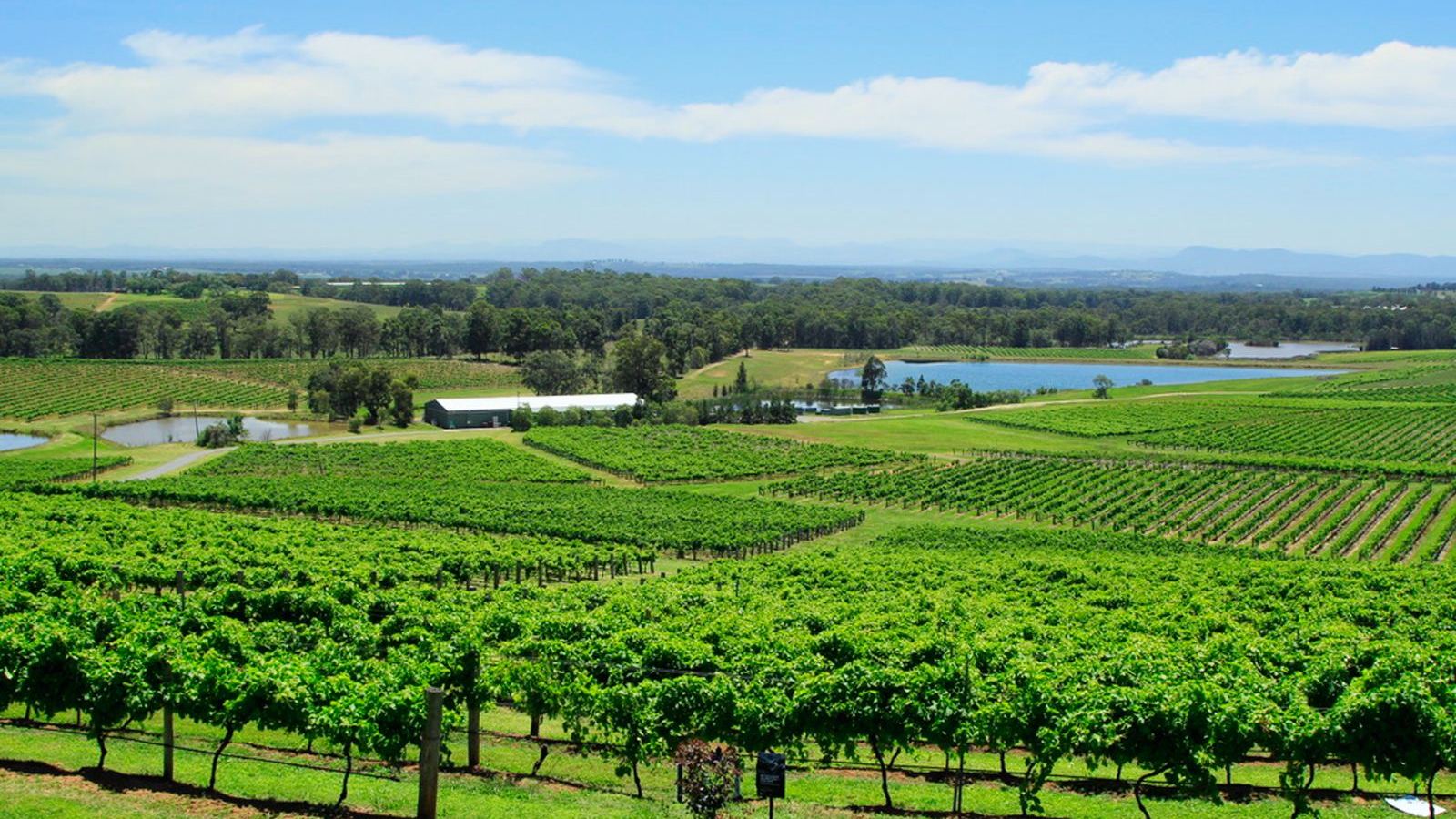
People visit wineries for the whole experience: the view, the cellar door, the vines, the long table under the trees. Use your own real photos, in good light, taken in different seasons. Show people enjoying the place, and ask them before you post their faces.
Being found
When visitors search "cellar door Orange" or "winery lunch Hunter Valley", Google Maps decides who they see first. A complete, accurate Google Business Profile (a free listing you manage yourself) is one of the best things you can do. Our guide to getting found on Google Maps walks through it step by step.
On your website, say clearly what you are and where: "Family-owned winery and cellar door near Orange" in the page title helps search engines and people alike.
Fast and easy on a phone
Most of your visitors will look you up on a phone, often on the road. Make sure:
- Hours, bookings and directions are one tap from the home page.
- Your phone number is a tap-to-call link.
- Pages load quickly, without big videos or slow pop-ups.
- Text is large enough to read in the car park, in bright sun.
A quick checklist
- [ ] Opening hours on the home page, including the exceptions.
- [ ] Clear tasting information and a booking button.
- [ ] Current events, with a way to book or buy tickets.
- [ ] Your wines, with notes, photos and prices.
- [ ] Online ordering with clear delivery costs.
- [ ] Your licence number and age notice where needed.
- [ ] Wine club or email sign-up.
- [ ] Directions, parking, food and accessibility information.
- [ ] A complete Google Business Profile.
Where to start
A cellar door website usually starts with our new small business website: up to 6 pages, works on phones, a contact form and ready for Google (titles, local details, fast on phones), with 2 rounds of changes, for $990 (No GST charged). Add what you need from our add-ons: online bookings, events or an online shop. If you'd like to change your hours and wines yourself, "Edit it yourself" is $250 (No GST charged). Or let us look after it with a website care plan, from $99 a month (No GST charged).
We work with wineries and cellar doors in the Hunter Valley, Orange and the Southern Highlands. Try our quick quote to see what your site would cost, or book a free chat.
- Tags:
- Selling online
Keep reading